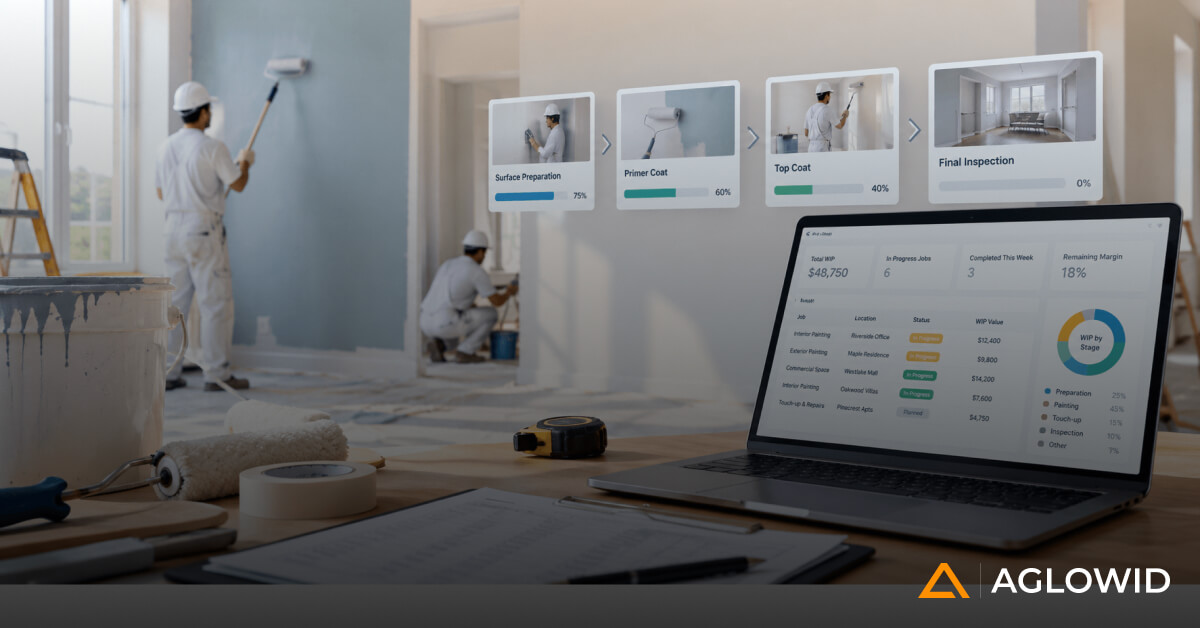
Quick Summary
Choosing commercial painting software is one of the most consequential operational decisions a growing painting business will make, since it determines whether estimating, field operations, procurement, and finance work as one connected system or stay scattered across disconnected tools. This article breaks down the capabilities that matter most, the operational problems software should solve, and the questions decision makers should ask before committing to a platform. Read on for a practical framework you can use to evaluate any solution against your own workflows.
Commercial painting software is a business management system built to run every stage of a painting company’s operations, from estimating and bid management through project execution, procurement, field reporting, and financial close, inside one connected platform instead of scattered spreadsheets and standalone tools.
That definition matters because the commercial painting industry itself is changing shape. The global commercial painting services market was valued at 68.4 billion dollars in 2025 and is projected to reach 115.7 billion dollars by 2034, growing at a 6.0 percent annual rate, driven largely by commercial construction activity and rising renovation demand in aging building stock (Source: Commercial Painting Services Market Research Report). Growth like that is good news for contractors, but it also raises the operational bar. More projects, more crews, and more customers all put pressure on the systems a business relies on to stay profitable.
Most mid size painting companies are not short on tools. They typically run an estimating tool, an accounting package, a scheduling app, a handful of spreadsheets, and constant email and messaging threads to hold it all together. The problem is no longer whether to adopt software. It is whether the software in place actually connects every stage of a project, from the first bid to the final invoice, or whether it leaves gaps that someone in the office has to fill manually every single day.
This guide walks through why growing painting businesses outgrow their current tools, what capabilities a modern platform should cover, how a connected system supports the full project lifecycle, and the questions decision makers should ask before choosing a solution.
Why Growing Commercial Painting Companies Outgrow Traditional Software
Growth changes the shape of a painting business long before it changes the tools that run it. A company that once managed three or four projects at a time with one project manager and a shared spreadsheet eventually finds itself running many simultaneous commercial jobs, each with different project managers, different customers, and different contract types.
Field operations grow in the same way. Multiple crews work across several job locations at once, supervisors need to be assigned and reassigned as jobs shift, and equipment has to move between sites without anyone losing track of where it is. Procurement grows too, with more material requests, more vendor relationships, and more purchase approvals moving through the business every week.
Financial complexity grows fastest of all. Progress billing, retention, job level profitability, and work in progress reporting all become harder to manage accurately once a company is running ten or fifteen active jobs instead of three. Rework alone is a significant hidden cost during this growth stage. Direct field rework in construction averages around 5 percent of total project costs, with some project types running as high as 20 percent, largely driven by miscommunication and inconsistent documentation between office and field teams..
This is the point where things start to break. Different departments end up maintaining their own version of the same data. Reporting is delayed because someone has to manually pull numbers from three different places before a meeting. Coordination happens through phone calls and message threads instead of a shared system. Entries get duplicated because the office and the field are not looking at the same information. Visibility drops, and decisions become reactive instead of planned.
At a certain stage, the limitation is not the people. It is the disconnected systems supporting them.
Signs You Have Outgrown Your Current Tools
Most companies do not decide to replace their software all at once. The decision usually builds slowly, as small frustrations pile up until they become too costly to ignore. Here are the clearest signs a mid size painting business has outgrown its current setup.
- Job costs are only known once a project has closed, not while it is still active
- Project managers each keep their own spreadsheets that do not match anyone else’s numbers
- Change orders get approved in email threads with no clear record of who signed off
- Ownership relies on phone calls to find out how a job is actually progressing
- Finance and operations report different numbers for the same project in the same week
- Purchasing decisions happen reactively, after a crew has already run out of material on site
- Onboarding a new project manager takes weeks because nothing is documented in one place
If three or more of these sound familiar, the software gap is likely already costing the business money, even if it has not shown up clearly on a report yet.
Ready to Modernize Your Painting Operations?
See how a connected platform closes these gaps for painting contractors like yours.
Operational Challenges Commercial Painting Software Should Solve
Rather than starting from a list of features, it helps to start from the problems a growing painting business actually experiences day to day.
Lack of real time project visibility.
Management often has no way to check project status without a phone call, a scheduled meeting, or an end of day report. By the time information reaches the owner, it is already out of date.
Job cost visibility that arrives too late.
Labor overruns are frequently discovered only after payroll runs. Material overconsumption, equipment costs, and true job profitability often are not visible until a project is already finished, which is far too late to correct course.
Change orders that are difficult to track.
Approvals, documentation, customer communication, and billing for change orders often live in separate places, which makes it easy to lose track of what was approved, when, and by whom.
Procurement that stays reactive instead of planned.
Without a shared view of material needs across projects, purchasing tends to happen at the last minute, which drives up costs and creates on site delays.
Office and field teams operating independently.
Separate spreadsheets, WhatsApp threads, emails, and paper reports mean the office rarely has an accurate, current picture of what is happening on site.
Reporting that requires manual consolidation.
Finance, operations, and project managers often each work from their own numbers, and getting everyone aligned before a leadership meeting can take hours of manual reconciliation.
Nationally, the impact of these gaps adds up. Rework and delays cost the United States construction industry an estimated 177 billion dollars annually, an amount equal to roughly 5 percent of total construction spending, much of it driven by the kind of miscommunication and disconnected reporting described above.
What Commercial Painting Software Should Manage Across Your Business
Software should not just manage isolated departments. It should connect the processes that already depend on each other, so information created in one part of the business is available everywhere it is needed next.
Estimating and Bid Management
This includes bid preparation, cost libraries, proposal management, estimate revisions, version control, and bid approvals. Accurate, fast estimating sets the tone for everything downstream. If the numbers used to win a job are not the same numbers used to track it once work starts, profitability suffers from day one.
Project Planning and Execution
Project setup, scope management, milestones, budget allocation, activity planning, and documentation all belong here. A clear plan at kickoff reduces the number of decisions that have to be made reactively once work is already underway.
Crew Scheduling and Resource Allocation
Crew assignments, supervisor allocation, equipment scheduling, availability planning, and resource conflict resolution fall under this category. When multiple projects are running at once, scheduling conflicts are one of the most common causes of delay.
Field Operations Management
Daily reports, timesheets, progress updates, site photos, checklists, and mobile access all sit here. This is where the office gets a current, accurate picture of what is happening on site without relying on a phone call.
Job Costing and Profitability
This is one of the most important areas for a growing business. It covers labor cost, material cost, equipment cost, subcontractor cost, overhead, budget versus actual tracking, cost forecasting, and gross margin. Mature businesses need daily visibility into these numbers, not a report that only becomes available once a project closes. Waiting until closeout to understand profitability means problems get discovered long after they could have been corrected.
Procurement and Vendor Management
Purchase requests, requests for quotation, purchase orders, vendor comparison, approval workflows, and material delivery tracking all belong in this category. Planned procurement, rather than reactive purchasing, protects both cost and schedule.
Inventory and Material Management
Warehouse inventory, paint inventory, consumables, site transfers, material reservations, and stock visibility all need to be tracked in one place so crews are not left waiting on materials that were never ordered.
Financial Management
Progress billing, change order billing, accounts receivable, accounts payable, retention, cash flow, and work in progress reporting all sit here. The goal is for finance to stay aligned with what is actually happening in operations, rather than reconciling two separate sets of numbers after the fact.
Executive Dashboards
Owners and executives need visibility into active projects, gross margins, labor utilization, budget overruns, cash flow, receivables, and forecasted profitability, all in one place, without waiting for someone to build a report.
| Business Area | Core Function | Primary Risk If Disconnected |
|---|---|---|
| Estimating and Bid Management | Accurate, trackable bids | Wrong numbers carried into execution |
| Project Planning | Scope and budget clarity | Scope creep, missed milestones |
| Crew Scheduling | Resource allocation | Double booked crews, idle equipment |
| Field Operations | Daily site visibility | Delayed, inaccurate reporting |
| Job Costing | Real time profitability | Losses discovered too late to fix |
| Procurement | Planned purchasing | Last minute buying, cost spikes |
| Inventory | Material visibility | Site delays, overstock or shortages |
| Financial Management | Billing and cash flow | Cash flow gaps, WIP inaccuracy |
| Executive Dashboards | Leadership visibility | Reactive, delayed decision making |
How Commercial Painting Software Connects the Entire Project Lifecycle
The real value of a connected platform shows up when you follow a single project from lead to closeout and see how information flows without being recreated at every step. Broken down, the lifecycle moves through five phases, and every stage inside each phase feeds directly into the next.
| Phase | Stages Inside This Phase | What Carries Forward |
|---|---|---|
| Sales and contract | Lead, opportunity, estimate, proposal, contract award | Approved scope and pricing become the project baseline |
| Planning | Project setup, budget allocation, procurement | Budget by cost code drives planned, not reactive, purchasing |
| Field execution | Crew scheduling, material issue, daily progress reporting | Same day site data reaches the office without a phone call |
| Cost and quality control | Job cost tracking, quality inspection, change orders | Cost and quality data stay tied to the same project record |
| Billing and closeout | Progress billing, customer invoice, closeout, profitability analysis, management reporting | Final numbers roll into leadership reporting automatically |
A few of these handoffs are worth calling out directly, since they are where most disconnected systems break down. The estimate to proposal step matters because the proposal should be generated from the approved estimate itself, so the numbers a customer sees match the numbers the business will be held to. The budget allocation to procurement step matters because material needs generated from an approved budget lead to planned purchasing, rather than a crew running short on site. The quality inspection to change order step matters because scope changes need to be priced and approved inside the same system that tracks the original budget, not in a separate email thread. And the project closeout to profitability analysis step matters because final job costing data should feed straight into reporting, without anyone manually rebuilding the numbers after the fact.
At every one of these handoffs, the core question is the same: does the next department have to recreate information that already exists somewhere else in the business, or can they simply pick up where the last step left off. This is the practical difference a connected platform like BuildOps or a similarly integrated system for painting contractors is designed to make, and it is the reason project lifecycle connection matters more than any single feature on its own.
Integrated Platform vs Disconnected Tools
The comparison below outlines what changes when a painting business moves from a set of disconnected tools to a single connected platform.
| Category | Disconnected Tools | Integrated Platform |
|---|---|---|
| Project Visibility | Requires phone calls and meetings | Available in real time to anyone with access |
| Job Costing | Known accurately only after closeout | Tracked daily against budget |
| Change Orders | Scattered across email and messages | Documented, approved, and billed in one flow |
| Procurement | Reactive, last minute purchasing | Planned against budget and schedule |
| Reporting | Manually reconciled from multiple sources | Generated automatically from one data source |
| Field to Office Communication | Paper reports, spreadsheets, messaging apps | Daily updates flow directly into the system |
The gap between these two approaches tends to widen as a company grows. A business running three projects can usually absorb the extra manual work. A business running fifteen projects across multiple crews cannot, without adding significant administrative overhead just to keep information in sync.
What It Costs to Get This Wrong
It is worth being direct about what disconnected systems actually cost a growing painting business, even without naming specific software prices.
Change orders alone typically account for 10 to 15 percent of contract value on major projects, and that figure climbs as high as 25 percent on distressed projects where documentation and approval processes are weak (Source: Change Orders in Construction: The Definitive Guide). For a mid size painting company running several million dollars in annual contract value, even a few percentage points of unmanaged change order cost represents real, avoidable margin loss.
The cost of choosing the right ERP software depends on several factors: the number of users who need access, the number of branches or divisions the business operates, the scope of implementation, and the level of ongoing support required. A company running a single location with a handful of project managers has very different needs from one running multiple branches with dozens of field supervisors. Rather than comparing sticker prices alone, decision makers should weigh software cost against the cost of continuing to operate with the visibility gaps described earlier in this guide. In most cases, the cost of inaction, measured in lost margin, delayed billing, and reactive decision making, is higher than the cost of the platform itself.
Questions Every Decision Maker Should Ask Before Choosing Commercial Painting Software
Business Fit
- Can the software handle the type of projects our company typically runs
- Can it support multiple branches if we expand
- Does it fit the way our teams already work, or will it force us to change every process at once
Scalability
- Can it support future growth in project volume
- Can it support multiple companies or divisions if the business structure changes
- Can it handle more users and larger projects without a costly upgrade path
Operational Visibility
- Can executives monitor project performance in real time, not just at month end
- Can managers identify problems before they affect profitability, rather than after
Flexibility
- Can workflows be customized to match our existing approval processes
- Can approval chains be changed as the organization grows
- Can reports be modified to match the metrics leadership actually cares about
Integration
- Does it connect with our accounting system
- Does it connect with payroll
- Does it connect with our CRM and document management tools
- Does it support the third party applications we already rely on
Vendor Experience
Rather than asking how many customers a vendor has, ask sharper questions. Does the vendor understand commercial painting operations specifically, not just general contracting. Have they implemented similar workflows for businesses our size before. Can they advise on process improvements during implementation, rather than simply installing software and leaving. A vendor with direct experience in commercial painting operations is often the deciding factor between a smooth rollout and a difficult one, and this is an area where working with a team that specializes in painting contractor operations, rather than a generic construction platform, tends to pay off during implementation and beyond.
Implementation Considerations That Often Determine Success
Choosing the right software is only half the decision. How it gets implemented often determines whether it delivers value or becomes another underused tool.
Process standardization. Before implementation begins, standardize the processes the software will support, rather than trying to standardize them during rollout.
Data preparation. Clean, accurate data on customers, vendors, items, cost codes, and existing projects needs to be ready before go live, or the new system inherits the same inconsistencies as the old one.
Workflow design. Approval chains, responsibilities, and escalation paths should be defined clearly before the software goes live, not figured out on the fly afterward.
User adoption. Training, clear department ownership, and a small group of pilot users who champion the new system internally all make adoption smoother across the wider team.
Executive sponsorship. Leadership involvement signals to the rest of the organization that the new system is a priority, not an optional side project. Without it, adoption tends to stall.
Reporting requirements. Define the key performance indicators that matter before implementation starts, such as gross margin by project, labor productivity, budget variance, change order turnaround time, and cash flow. Building reporting around these metrics from day one avoids a costly redesign later.
Phased rollout. Implementing every module at once is rarely the best approach for a mid size business. A phased rollout, starting with the areas causing the most pain, such as job costing or field reporting, tends to produce faster wins and stronger internal buy in.
Ready to Move Beyond Disconnected Systems?
Learn how a well-planned ERP implementation can improve visibility, efficiency, and collaboration across your entire business.
Common Mistakes When Choosing Software
Even well intentioned software decisions go wrong for predictable reasons. The most common mistakes include:
- Choosing based on price alone, without evaluating fit for painting specific workflows
- Skipping data preparation and migrating messy, inconsistent records into the new system
- Underestimating how much training time field and office teams will actually need
- Rolling out every module at once instead of phasing implementation around the biggest pain points
- Selecting a vendor with no direct experience in commercial painting or specialty contracting operations
- Failing to define reporting needs before implementation, which forces a redesign later
Avoiding these mistakes is often less about the software itself and more about the discipline applied during the selection and rollout process.
Frequently Asked Questions
How much does commercial painting software cost?
Cost depends on the number of users, the number of branches, the scope of implementation, and the level of ongoing support needed. Rather than comparing price alone, weigh the cost of the platform against the cost of continuing to operate with delayed reporting, reactive procurement, and unmanaged change orders.
Is an ERP overkill for a mid size painting company?
Not typically. A mid size company running multiple simultaneous projects, several crews, and growing financial complexity is often exactly the point where a connected platform starts paying for itself. The risk of staying on disconnected tools tends to grow faster than the cost of adopting an integrated system.
What is the difference between estimating software and a full ERP?
Estimating software focuses narrowly on bid preparation and pricing. A full ERP connects estimating to project execution, field operations, procurement, inventory, and finance, so information created during estimating carries through the entire project lifecycle instead of being re-entered at each stage.
How long does implementation typically take?
Timelines vary based on company size and how many modules are rolled out at once. A phased approach, starting with the highest impact areas such as job costing or field reporting, generally produces a faster, smoother implementation than attempting a full rollout in one step.
Can this replace our accounting software, or does it integrate with it?
This depends on the platform. Many solutions are designed to integrate with existing accounting systems rather than replace them, which reduces disruption during implementation. It is worth confirming integration compatibility with any vendor before making a final decision.
Choosing Software That Supports Long Term Growth
Rather than comparing individual products feature by feature, it helps to evaluate software against a broader set of criteria:
- End to end visibility across every stage of a project
- Connected business processes instead of isolated modules
- Real time reporting that does not require manual consolidation
- Mobile accessibility for field teams
- Workflow flexibility that adapts as the business grows
- Scalability to support more users, more branches, and larger projects
- Reliable implementation support from a team that understands the rollout process
- Strong alignment with commercial painting and specialty contracting operations specifically
Selecting software is a long term operational decision, not simply an IT purchase. The right choice should still be supporting the business five years from now, not just solving today’s most visible pain point.
Conclusion
The best commercial painting software is not the one with the longest feature list. It is the one that connects estimating, project management, field operations, procurement, inventory, and finance into a single operational workflow, so information created at one stage is never recreated at the next. As commercial painting businesses grow into more projects, more crews, and more financial complexity, that connected approach becomes essential for protecting profitability, improving visibility, and making faster, better informed decisions.
If your team is evaluating what a connected platform could look like for your painting business, we would be glad to walk through it with you and map it against how your projects actually run today.
We recently completed an Odoo ERP implementation for a painting and coating contractor. If you are evaluating ERP for your contracting business and want to understand what worked, what we would do differently, and what questions you should be asking vendors, we are happy to share what we learned.
Check our Success Story
ERP Software for Painting & Coating Contractors
Centralizing Field, Finance, and Compliance with Odoo
Industry: Painting & Coating/Construction
Location: Canada