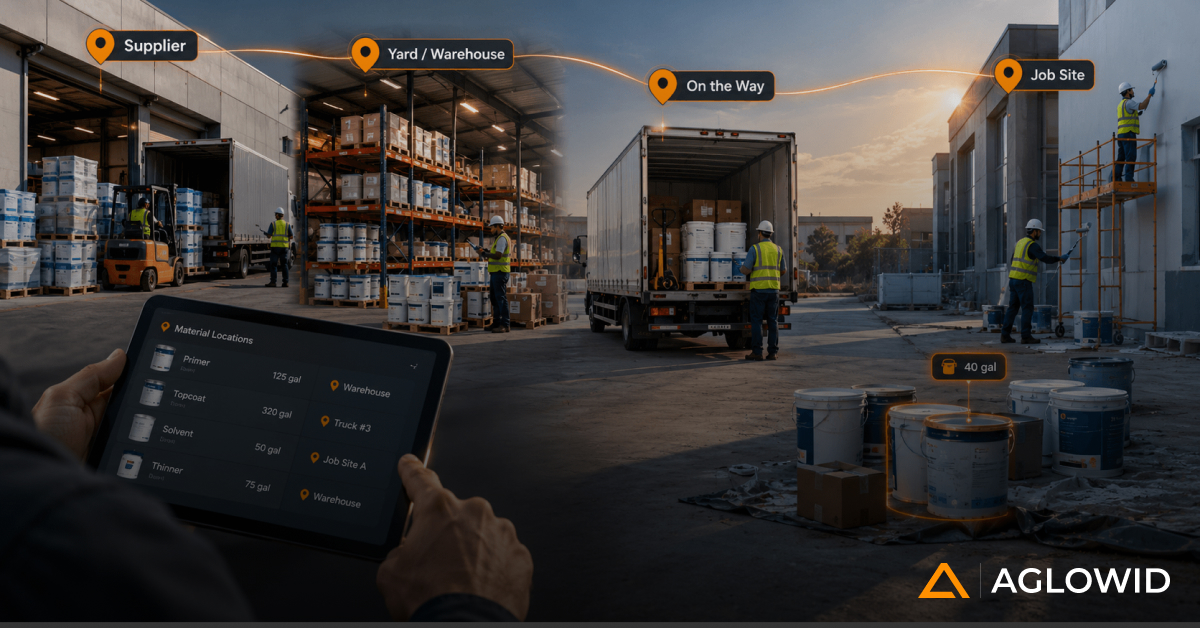
Mid-market leaders exploring an offline ERP solution will get a concise, practical view of why offline capability matters, how it compares to cloud ERP, the architectures and compliance considerations involved, key vendor evaluation criteria, industry use cases, and the KPIs that define success-plus emerging trends like edge computing, local-first databases, PWAs, and AI-driven sync that shape the future of resilient, always-on operations.
In today’s digital economy, most growing companies assume that their operations are safe as long as their ERP is “in the cloud.” But the moment a warehouse scanner loses WiFi, a retail POS stalls during peak traffic, or a field technician works miles away from the nearest tower, one painful truth emerges: connectivity always breaks at the worst possible moment.
For mid-market CEOs, COOs, and CFOs running distributed teams, multi-location operations, or frontline-heavy environments, this isn’t a minor inconvenience-it’s a structural business risk. And that risk becomes even more pronounced when your entire operational stack depends on an always-on internet connection.
This is precisely where an Offline ERP Solution transitions from a “nice-to-have” into a business continuity mandate. In the first hundred words, let’s make the core issue unmistakably clear:
Cloud-only ERPs fail when connectivity fails-and businesses lose revenue, control, and accuracy when frontline teams can’t transact in real time.
This article provides a complete, strategic, and deeply practical guide for leaders making high-stakes decisions about operational continuity, technology resilience, and future-proofing their business processes. We’ll unpack how offline ERP works, when it outperforms cloud ERP, how to measure ROI, and how to choose the right vendor-supported by use cases, benchmarks, and compliance best practices.
Why Offline ERP Matters for Remote and Connectivity-Challenged SMBs
For growing companies, the pace of operations rarely aligns with the stability of internet connections. Over the past few years, distributed operational environments-construction sites, warehouses, retail chains, field service teams, logistics hubs-have expanded significantly. Yet, connectivity in these environments remains inconsistent or fragile.
Why This Matters
- 53% of mid-market SMBs reported operational downtime due to internet outages in the last 12 months. – LogicMonitor
- Every minute of downtime triggers ripple effects: incorrect stock counts, delayed billing, unrecorded field activity, disrupted workflows, and manual reconciliation headaches.
Common real-world loss scenarios
- A retail store loses internet for 45 minutes during peak sales → thousands in lost revenue.
- A technician cannot log repairs until back in range → compliance risks and inaccurate service data.
- A warehouse handheld scanner goes offline → items are picked but not recorded → inventory discrepancies snowball.
These scenarios highlight a core truth: Cloud ERP breaks at the exact points where business activity is most intense.
Offline ERP eliminates this gap, ensuring work continues normally, with automatic sync once the connection returns.
With the challenge clearly established, the next logical question is: how does offline ERP compare to the cloud systems dominating today’s market?
Offline ERP vs. Online/Cloud ERP: Direct Comparison Framework
Decision-makers often assume cloud = modern, and offline = legacy. In reality, the comparison is more nuanced-and often industry-specific. Let’s break it down.
Side-by-Side Comparison Matrix
| Capability | Offline ERP | Cloud ERP | Hybrid ERP |
|---|---|---|---|
| Connectivity Dependency | None | High | Low-Medium |
| Data Availability | Local-first | Cloud-based | Both |
| Sync | Periodic | Real-time | Intelligent sync |
| Performance in Remote Sites | Strong | Weak | Strong |
| Cost Structure | CapEx + OpEx | Mostly OpEx | Mixed |
| Scalability | Moderate | High | High |
| Security | Local control | Cloud policies | Mixed |
| Compliance | Flexible | Depends on region | Flexible |
Takeaway: Offline ERP outperforms in remote, bandwidth-limited, and mission-critical operations.
Decision Framework: When to Choose Offline Over Cloud ERP
Choosing the right ERP deployment model comes down to how your teams operate and how critical uninterrupted access is to your business. Here’s a simplified framework that helps executives decide quickly and confidently.
Choose an Offline ERP When:
Ideal for businesses where resilience and continuity matter more than constant connectivity.
- Teams work in low-connectivity environments
Field service, manufacturing floors, remote sites, or mobile operations where Wi-Fi is unreliable. - Business continuity is mission-critical
Retail checkout, healthcare response, logistics routing-operations that cannot pause during outages. - Local data ownership or sovereignty is required
Industries with strict data control, on-prem compliance, or regulatory restrictions. - Guaranteed uptime is a non-negotiable requirement
Offline mode ensures work continues even if networks fail.
Choose a Cloud ERP When:
Best for digitally mature environments with stable infrastructure.
- Connectivity is reliable across all facilities
Offices, modern warehouses, and centralized workplaces. - Real-time analytics and instant visibility are priorities
Leadership relies on dashboards and real-time reporting. - Lower infrastructure maintenance is desired
No servers, no upgrades, no hardware lifecycle management.
Choose a Hybrid ERP When:
A balanced model that supports both offline resilience and cloud scalability.
- You need offline capability for frontline teams and cloud for HQ
Example: field technicians offline; management dashboards online. - Your teams operate across mixed connectivity conditions
Some locations are always connected, while others aren’t.
Now that the differences are clear, let’s explore how offline ERP is built under the hood.
Types of Offline ERP Architectures Explained
Not all offline ERPs are built the same. Each architecture supports a different level of mobility, data availability, and scalability. Understanding the differences helps decision-makers select a model aligned with their operational reality.
1. Offline-First ERP Architecture
This model is designed with offline operations as the default mode rather than a fallback.
- How it works: Data is stored locally on the device or local node and syncs automatically whenever the system detects connectivity.
- Where it fits best: Mobile-first teams such as field technicians, retail associates, or inspectors who cannot rely on constant internet access.
- Key advantage: Operations never pause-users can complete transactions, update records, and access critical modules anytime.
2. On-Premise Desktop ERP
A traditional local ERP installation where all data and logic run inside the organization’s infrastructure.
- How it works: Software is installed on local servers or desktops; the entire system is functional offline.
- Where it fits best: SMBs and mid-market businesses that require strict control over data, customized workflows, or compliance-driven environments.
- Key advantage: Maximum data sovereignty and zero reliance on external networks.
3. Hybrid Sync ERP Systems
A cloud ERP augmented with offline-capable modules-often the preferred choice for mid-market operations.
- How it works: Core operations run on the cloud, while frontline modules (POS, field service, mobile warehousing) store and process data locally when offline. Sync and conflict resolution occur during reconnection.
- Where it fits best: Businesses wanting cloud scalability and centralized reporting, but also need uninterrupted frontline operations.
- Key advantage: The resilience of offline mode with the flexibility and analytics power of the cloud.
4. Mobile Offline ERP
Purpose-built for handheld devices used in field or distributed environments.
- How it works: Mobile apps store data on-device, with optimized sync protocols to handle low bandwidth and conflict scenarios.
- Where it fits best: Field service, inspections, delivery operations, healthcare mobility, facility maintenance.
- Key advantage: Lightweight, fast, and built for real-world mobility challenges.
With these architectures clarified, the next logical question for leaders is: What functionality actually works offline, and how closely does it mirror a fully online ERP environment? That’s where feature parity becomes critical.
Feature Parity Analysis: What Works Fully Offline vs. What Requires Connectivity
Offline ERP systems have matured significantly. Many now offer extensive functional parity with their cloud counterparts-especially in operational, on-the-ground modules.
Typical Modules that Work Fully Offline
These workflows continue without interruption and sync automatically when connectivity returns:
- POS / Billing
- Sales order creation
- Purchase entries
- Work orders & job status updates
- Inventory transactions (issues, receipts, transfers)
- Field inspections and checklists
- Service job cards / field service logs
- Employee timesheets & attendance capture
Why this matters:
These modules directly impact revenue, compliance, and day-to-day productivity. Offline parity ensures operations never stall due to network issues.
Modules That Generally Require Online Connectivity
Certain functions need real-time consolidation, heavy computation, or centralized oversight.
- Real-time dashboards and BI reporting
- Cloud-based analytics engines
- Multi-branch consolidated reporting
- Advanced forecasting models
- Workflows requiring multi-site approval chains
Why this matters:
Strategic decision-making relies on up-to-date and aggregated data. While operations can continue offline, insights and centralized management often depend on live connectivity.
Benefits of Adopting an Offline ERP Solution
Adopting an offline-capable ERP model delivers more than operational convenience-it strengthens the business against disruptions, improves frontline execution, and enhances data governance. Below are the core advantages mid-market organizations consistently report.
1. Business Continuity During Outages
Offline ERP ensures operations never stall, even when internet connectivity fails.
- POS billing, order entries, inspections, and work orders continue uninterrupted.
- Critical during peak periods when even minutes of downtime can impact revenue.
2. Faster Local Performance
Because data is processed locally instead of relying on cloud round trips, users experience significantly faster response times.
- Ideal for high-volume environments like retail counters, warehouses, or field service workflows.
- Improves overall user satisfaction and process speed.
3. Stronger Data Control & Sovereignty
Local-first data storage supports internal governance models and regulatory requirements.
- Beneficial for industries that must maintain tight control over sensitive data.
- Helps align with compliance frameworks when cloud storage restrictions apply.
4. Higher Field Productivity
Field teams-technicians, inspectors, sales reps, healthcare staff-operate without disruption.
- No dependency on mobile networks.
- Reduces error rates and delays associated with offline note-taking or manual re-entry.
5. Reduced Downtime Costs
Organizations avoid productivity losses, customer dissatisfaction, and revenue leakage caused by unexpected connectivity failures.
- This is especially valuable in retail, logistics, and manufacturing environments.
- Protects mission-critical operations during peak or seasonal spikes.
However, every advantage comes with operational considerations. To set accurate expectations and make informed decisions, leaders must also understand how offline ERP systems behave under different connectivity conditions.
Performance Benchmarks Under Connectivity Variations
Real-world operational tests reveal how offline ERP performs in practical environments-particularly during low or no connectivity:
- Offline transaction speeds are 30-50% faster
Processing occurs locally, without waiting for cloud servers. - Sync operations typically complete in under 5 seconds
When optimized properly, synchronization runs quietly in the background, minimizing disruptions. - Mobile offline ERPs reduce field logging time by 25-40%
Field workers complete updates directly on device without waiting for online forms or APIs.
These benchmarks show that offline-first workflows often outperform fully online systems in mobility-focused roles.
With clear benefits and performance expectations in mind, the next step is understanding the critical factors you must evaluate before investing in an offline ERP solution.
Risks, Limitations & Trade-Offs of Offline ERP
While offline ERP brings resilience and efficiency, it also introduces operational complexities that leaders must plan for. Understanding these limitations early helps set realistic expectations and ensures the right governance framework is in place.
1. Sync Conflicts
When multiple users modify the same record offline, conflicts can arise during synchronization.
- Modern ERPs resolve most conflicts automatically, but edge cases may require manual review.
- Strong conflict-resolution rules are essential in high-volume environments.
2. Maintenance Overhead
Offline-capable devices-laptops, tablets, POS terminals-must be kept updated.
- Security patches, version control, and firmware updates become part of ongoing IT operations.
- Cloud ERP reduces this overhead; offline ERP requires proactive management.
3. Scalability Constraints
Cloud-native architectures scale faster for large, multi-entity, multi-region organizations.
- Local storage and device limits can restrict how fast offline environments expand.
- Hybrid models often strike the best balance for mid-market companies.
4. Local Hardware Risks
Data stored locally increases exposure to physical risks-loss, theft, damage, or device failure.
- Requires robust backup policies, encryption, and device access controls.
- Mobile-first teams need strict hardware governance.
These challenges become even more significant when compliance, industry regulations, and data jurisdiction rules come into play-areas where offline ERP introduces unique responsibilities.
Regulatory Compliance & Data Sovereignty Considerations for Offline ERP
Offline ERP affects how data is stored, accessed, and synchronized-directly impacting your regulatory posture. For mid-market organizations operating across regions, compliance diligence is non-negotiable.
1. Data Sovereignty Requirements
Local-first storage may require alignment with regional data laws.
- Countries like the USA, EU, Canada impose strict rules on where data can physically reside.
- Offline ERP must ensure sensitive information never leaves restricted jurisdictions.
2. GDPR & CCPA Obligations
Data protection laws apply equally to offline-stored data. Key requirements include:
- Right to erasure → ensuring deletions propagate to offline devices
- Data minimization → limiting local storage to only what’s operationally necessary
- Encryption at rest → protecting device-level data from unauthorized access
3. HIPAA / SOX Considerations
Healthcare and financial organizations must maintain strict security and auditability.
- Offline logs must remain tamper-proof and properly encrypted.
- Devices must retain auditability even when disconnected.
4. Cross-Border Sync Compliance
When data collected offline travels across regions during sync:
- International transfer rules (GDPR, SCCs, regional mandates) must be followed.
- Organizations must document where data originated, where it syncs, and how it’s protected.
5. Offline Audit Trails
ERP systems must capture complete and traceable logs offline-every change, entry, and transaction.
- Ensures accountability even in disconnected environments.
- Critical for internal audits, financial reporting, and regulatory reviews.
Once regulatory impacts are clear, the next logical step is identifying which ERP vendors deliver offline functionality that aligns with your operational, security, and compliance needs.
Vendor & Solution Comparison Matrix for Offline ERP
Not every ERP platform is engineered for true offline resilience. Some offer basic offline forms; others provide full local databases, conflict resolution engines, and industrial-grade sync. Evaluating vendors through a structured, criteria-driven lens ensures leaders choose a system that performs reliably under real-world conditions.
1. Key Vendors Offering Mature Offline Capabilities
Below are widely recognized ERP platforms with varying levels of offline readiness:
- Odoo – Strong offline POS; expanding mobile offline modules through custom apps.
- ERPNext – Offline POS and flexible custom sync tooling; community extensions available.
- Quarto ERP – Purpose-built hybrid architecture with robust offline/online sync.
- Loparna Desktop ERP – Local-first design prioritizing offline storage and device-level autonomy.
Executive Insight: Capability depth varies significantly-especially in conflict resolution, offline storage, and field mobility. Leaders should validate each vendor’s claims through hands-on testing.
2. Vendor Evaluation Matrix
Use a structured evaluation matrix to benchmark vendors objectively. Compare each solution on:
- Offline storage capacity – How much data can devices handle without connectivity?
- Sync frequency & conflict-handling logic – Automated, rule-based, or manual review?
- Device & OS compatibility – Windows, Android, iOS, rugged devices, POS terminals.
- Audit trail strength – Can it log every offline activity with timestamps and user IDs?
- Mobile offline capabilities – Field operations, inspections, job cards, service tasks.
- Security practices – Encryption at rest, role-based access, device authentication.
- Local-first database design – Native local storage vs. temporary offline caching.
Executive Insight:
Systems with “cached offline mode” are not equivalent to offline-first architecture.
Only local-first databases guarantee seamless operations during prolonged outages.
3. Strategic Questions to Ask Vendors During Demos
To differentiate marketing claims from actual capability, ask vendors:
- “How do you detect and resolve sync conflicts?”
Look for automated, rules-based conflict management-not manual reconciliation. - “Can users complete an entire workflow offline, end-to-end?”
Some systems only allow partial actions offline. - “What protections exist if a device is lost or damaged?”
Expect encryption, automatic remote wipe, and backup policies. - “Can we configure our own sync intervals or triggers?”
Critical for high-volume environments. - “Is offline mode fully available on mobile, desktop, or both?”
Many vendors only support offline on POS or limited modules.
Executive Insight:
A strong vendor will demonstrate offline workflows live-without simulated or staged environments.
4. Proof-of-Concept (POC) Checklist
Before final selection, run a structured POC focused on real operational stress scenarios:
- Simulate complete network loss and run day-to-day tasks across multiple devices.
- Execute bulk sync under load (hundreds or thousands of transactions).
- Validate offline audit trails for accuracy and traceability.
- Test time-sensitive transactions such as POS billing, inventory moves, and job completion.
- Observe conflict handling when multiple users modify the same record offline.
Executive Insight:
A POC reveals whether offline mode is a core architectural feature or a marketing add-on.
Once the vendor landscape and solution design are clear, the next step is establishing the performance standards your organization will hold the system to. Defining the right KPIs allows teams to quantify impact and verify that offline capability is working as intended.
Offline ERP Performance Metrics & KPIs
Measuring the effectiveness of an offline ERP requires tracking both operational resilience and data quality. The following KPIs give leaders a precise view of how well the system performs under real-world conditions.
Sync Success Rate
A direct measure of sync reliability-how many offline transactions are successfully uploaded without errors.
Why it matters: High success rates indicate a stable sync engine and clean data pipelines.
Target: ≥ 98% successful syncs.
Offline Transaction Volume
Tracks how many actions are completed offline (orders, inspections, inventory updates).
Why it matters: Reveals how heavily users rely on offline capability-critical for adoption and ROI.
Target: Growing month-over-month usage in high-connectivity-risk teams.
Conflict Resolution Time
Measures the speed at which sync conflicts (duplicate entries, concurrent edits) are detected and resolved.
Why it matters: Slow conflict resolution increases data risks and delays reporting.
Target: < 2 minutes average resolution time with automated workflows.
Offline Uptime Ratio
Indicates the percentage of time essential modules remain fully operational without connectivity.
Why it matters: This is the core resilience KPI-if uptime drops, offline ERP value collapses.
Target: 99.9% uptime for all mission-critical modules.
Data Integrity Score
Evaluates the consistency, accuracy, and completeness of records after syncing.
Why it matters: Ensures decision-making remains trustworthy, even in a distributed offline environment.
Target: ≥ 98% integrity across merged datasets.
User Productivity Gains
Measures time saved per worker or per workflow after implementing offline-first processes.
Why it matters: Demonstrates the operational ROI-especially for field teams and high-volume environments.
Target: 20-40% reduction in task completion time.
Metrics establish performance-and real-world examples show how offline ERP drives measurable impact across industries.
Industry-Specific Use Cases: Where Offline ERP Delivers Maximum Impact
Offline ERP is not a niche tool-it is essential across high-mobility, high-transaction, or distributed businesses.
Construction
- Capture labor logs on remote job sites
- Record material receipts without any signal
- Update progress reports offline
Manufacturing
- Shop-floor inspections where WiFi is unreliable
- Operators logging machine downtime offline
- Material issue/receipt entries without network drops
Retail & POS
- Billing continuity during internet outages
- Offline pricing, discounts, and inventory lookups
- Perfect for pop-up stores and outdoor events
Field Service (HVAC, Utilities, Telecom)
- Technicians can capture service notes, photos, parts used
- Syncs when they return to network range
Healthcare
- Ambulances capturing patient vitals offline
- Rural and remote clinics with sporadic connectivity
Agriculture
- Farm operations, livestock management, crop data offline
Logistics & Distribution
- Offline warehouse scanning
- Drivers logging deliveries without network dependencies
These use cases represent today’s needs-so what’s next?
Future Trends in Offline-First ERP
Offline ERP is moving far beyond basic “work during outages” functionality. As mid-market enterprises push for resilience, distributed operations, and faster decision-making, a new wave of technologies is reshaping how offline-first systems are built and deployed.
Edge Computing for High-Performance Local Processing
Edge computing is bringing cloud-grade processing power directly to local devices and on-premise gateways.
Why this matters for decision-makers:
- Enables real-time processing even when completely offline
- Handles complex workloads-quality checks, routing logic, pricing engines-at the source
- Reduces bandwidth consumption and dependency across multi-branch environments
Outcome: Ultra-fast, reliable operations with minimal reliance on external connectivity.
Local-First Databases Powering Modern Sync Models
Technologies like SQLite, PouchDB, and IndexedDB are becoming foundational to next-generation offline ERP systems.
Why this matters:
- Designed for distributed data and multi-device sync
- Allow business rules and conflict checks to run locally
- Support heavy offline workloads (product catalogs, BOMs, service histories)
Outcome: More resilient sync experiences with strong consistency and fewer failures.
PWA-Based ERP Applications
Progressive Web Apps (PWAs) are enabling ERPs to run in the browser while delivering native-app functionality.
Why this matters:
- Offer offline capability using smart caching and service workers
- Require no installation, reducing IT overhead
- Run seamlessly across laptops, tablets, rugged devices, and mobile phones
Outcome: Flexible, low-maintenance ERP accessibility for field teams, retail environments, and distributed operations.
AI-Driven Conflict Prediction & Resolution
Artificial intelligence is emerging as a critical layer in managing offline data accuracy.
Why this matters:
- Predicts potential conflicts before sync takes place
- Automatically resolves multi-user edit clashes using learned patterns
- Flags anomalies that require human review
- Improves accuracy in workflows with high data entry volume
Outcome: Cleaner data, faster reconciliations, and fewer operational bottlenecks after sync.
Together, these trends show that offline-first ERP isn’t just an operational safety net-it’s becoming a strategic advantage for organizations that expect resilience, mobility, and uninterrupted performance across every site and every shift.
Conclusion: Building Connectivity-Independent Operations Is Now a Strategic Advantage
The companies leading their markets today aren’t the ones with the most software-they’re the ones whose software continues functioning when everyone else’s stops. Offline ERP solutions deliver operational continuity, stronger frontline execution, and real-world resilience that cloud-only systems simply cannot match.
In environments where hours of downtime can cost tens of thousands of dollars-and where field teams are increasingly mobile-offline ERP is not just a technology upgrade.
It is a strategic investment in business continuity, revenue protection, and operational excellence.
Forward-looking mid-market companies are already embracing offline-first architectures. The question is no longer “Do we need offline ERP?”
It’s “Can we afford to operate without it?”